LeadMatrix
Scores new Upwork jobs, drafts proposals with Gemini, and sends the best ones to WhatsApp.
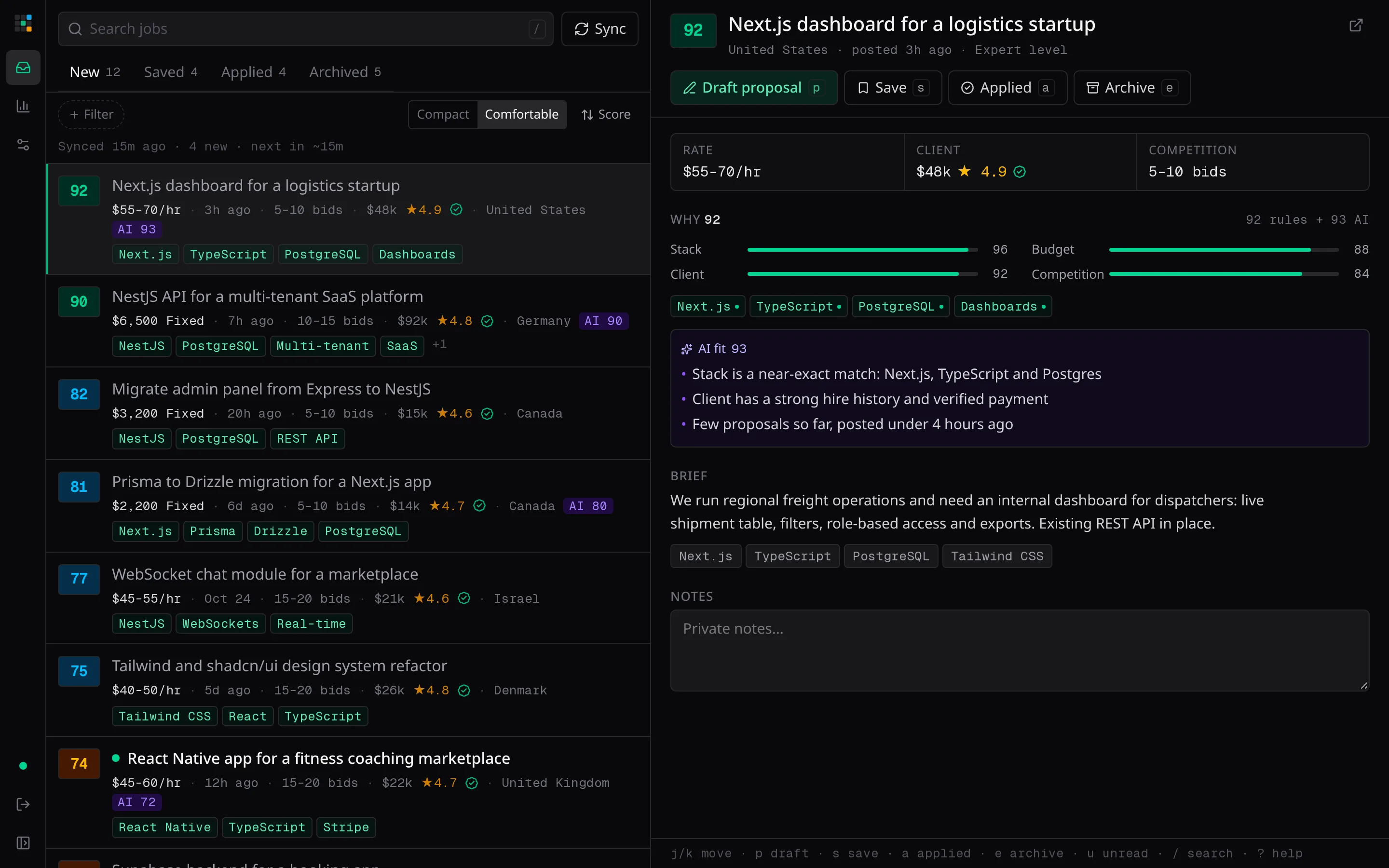
Note — Screens use synthetic demo data. No real jobs, clients or proposals are shown.
- Timeline
- Oct 2026
- Stack
- Next.js
- TypeScript
- Postgres
- Drizzle
- Gemini
- WhatsApp Cloud API
- MCP
01 — Context
Hunting for Upwork jobs is slow and repetitive. The good ones fill up with proposals quickly, and writing a proposal that fits the job takes time on top of the search.
LeadMatrix runs that loop for me. A scheduled sync pulls new jobs from Upwork, scores each one, and either files it in a triage inbox or sends it to my phone. From there Gemini drafts the proposal, I edit it, and I send it myself.
It is a single-user, password-protected tool, so the screenshots here are demo data.
02 — What I built
- Upwork over MCP. LeadMatrix is an MCP client for Upwork's own MCP server. It signs in with OAuth and calls Upwork's tools to search jobs and read the account. Read calls and write calls use separate clients, and any tool outside the allowed list is refused before it is sent.
- WhatsApp alerts through the official Cloud API. A new job at or above the alert score arrives with Write proposal, Save and Skip buttons. Write proposal brings back a Gemini draft with Approve, Revise and Discard. Approve sends me the final text and the job link to paste into Upwork.
- Commands from the phone: top, more, pause 3h, resume, status, help, applied and edit: followed by new text. Free text such as "write the supabase one, more direct" works too. Only the allowed number can control it, every webhook is signature-checked, and alerts outside WhatsApp's 24-hour window go out as an approved template.
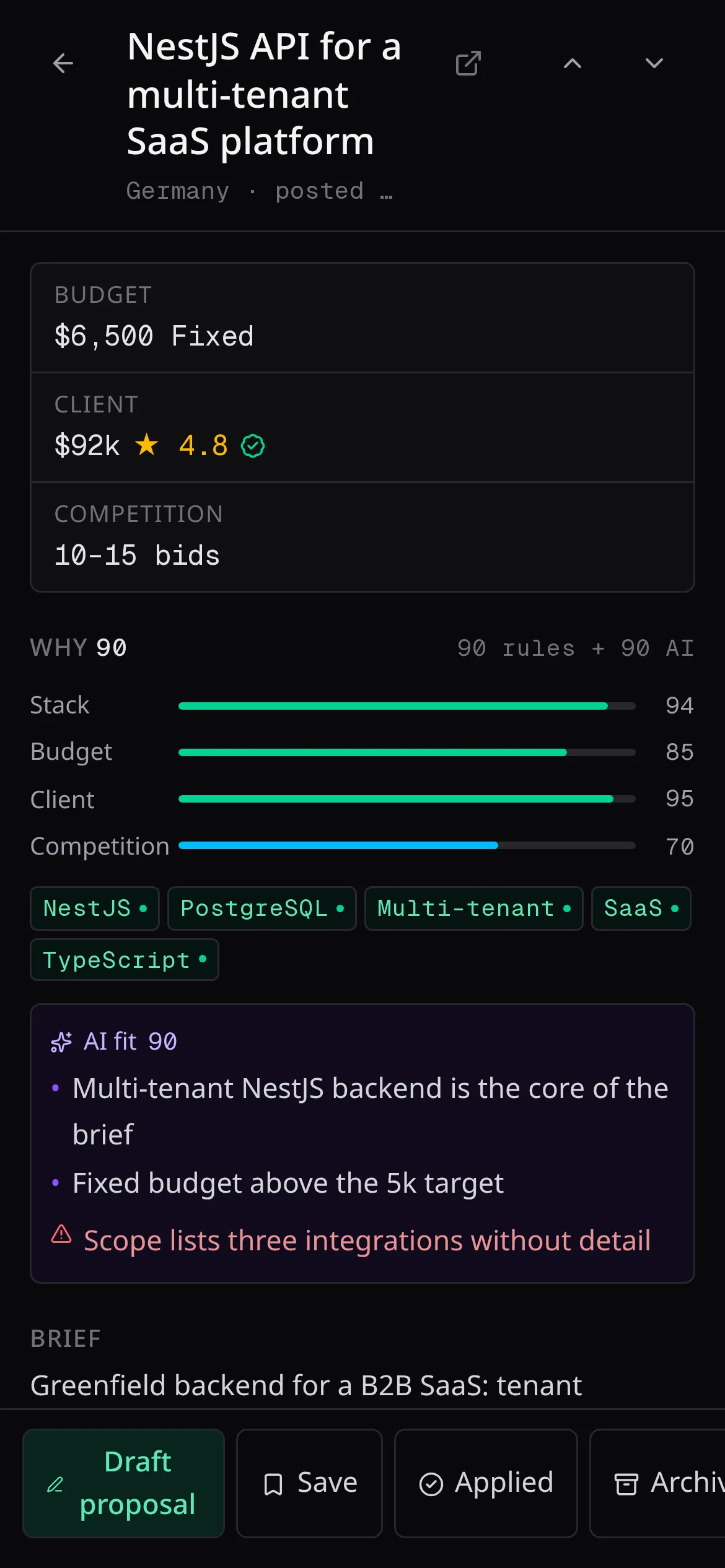
- A scored triage inbox. Every job gets a rules score and an AI score, blended into one number. "Why 87" shows the split and the matched skills, so a score is never a black box.
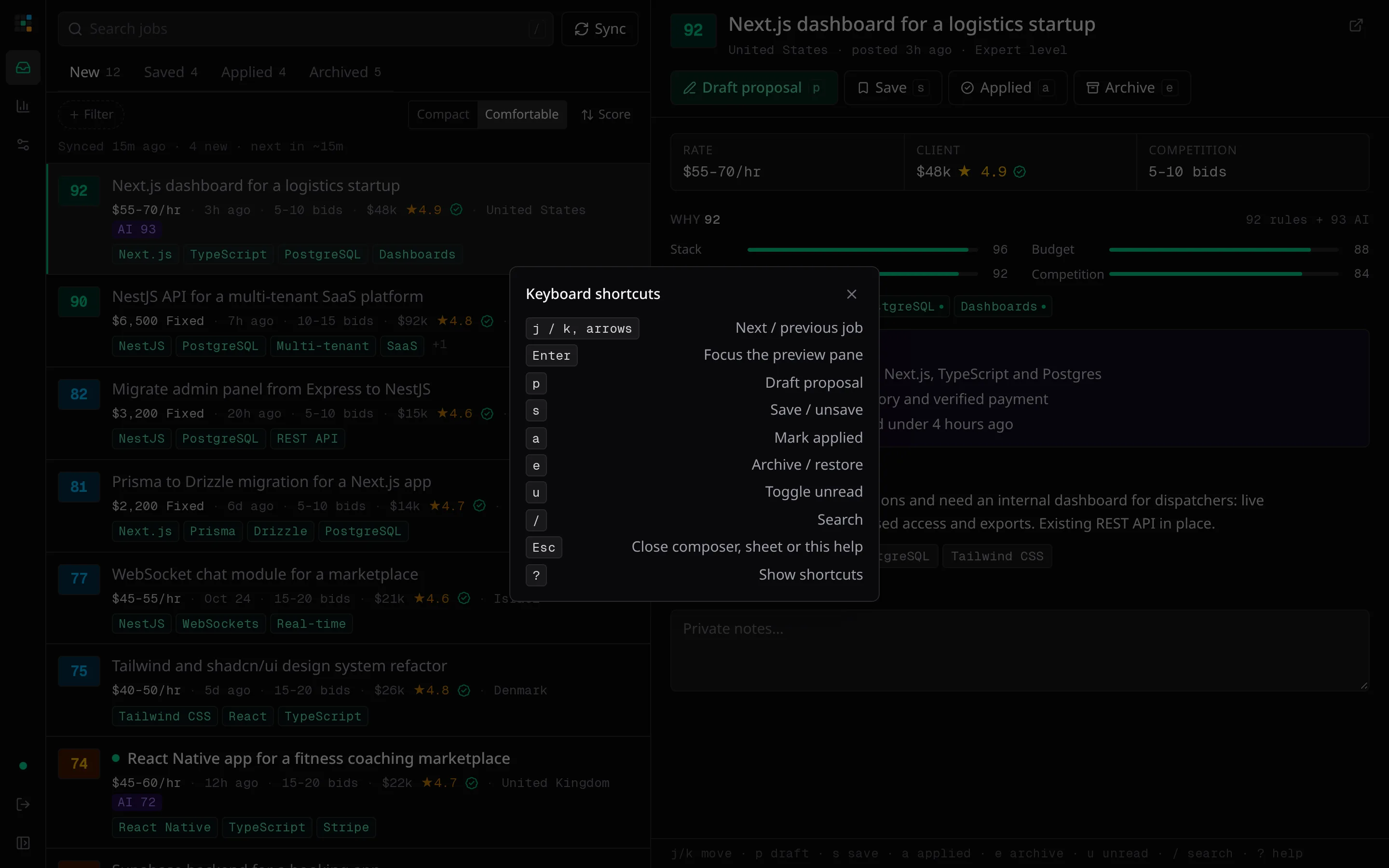
- Keyboard-first triage: j and k to move, s, a and e to save, mark applied or archive, p to draft a proposal. Saving, applying or archiving jumps to the next job and shows an undo toast.
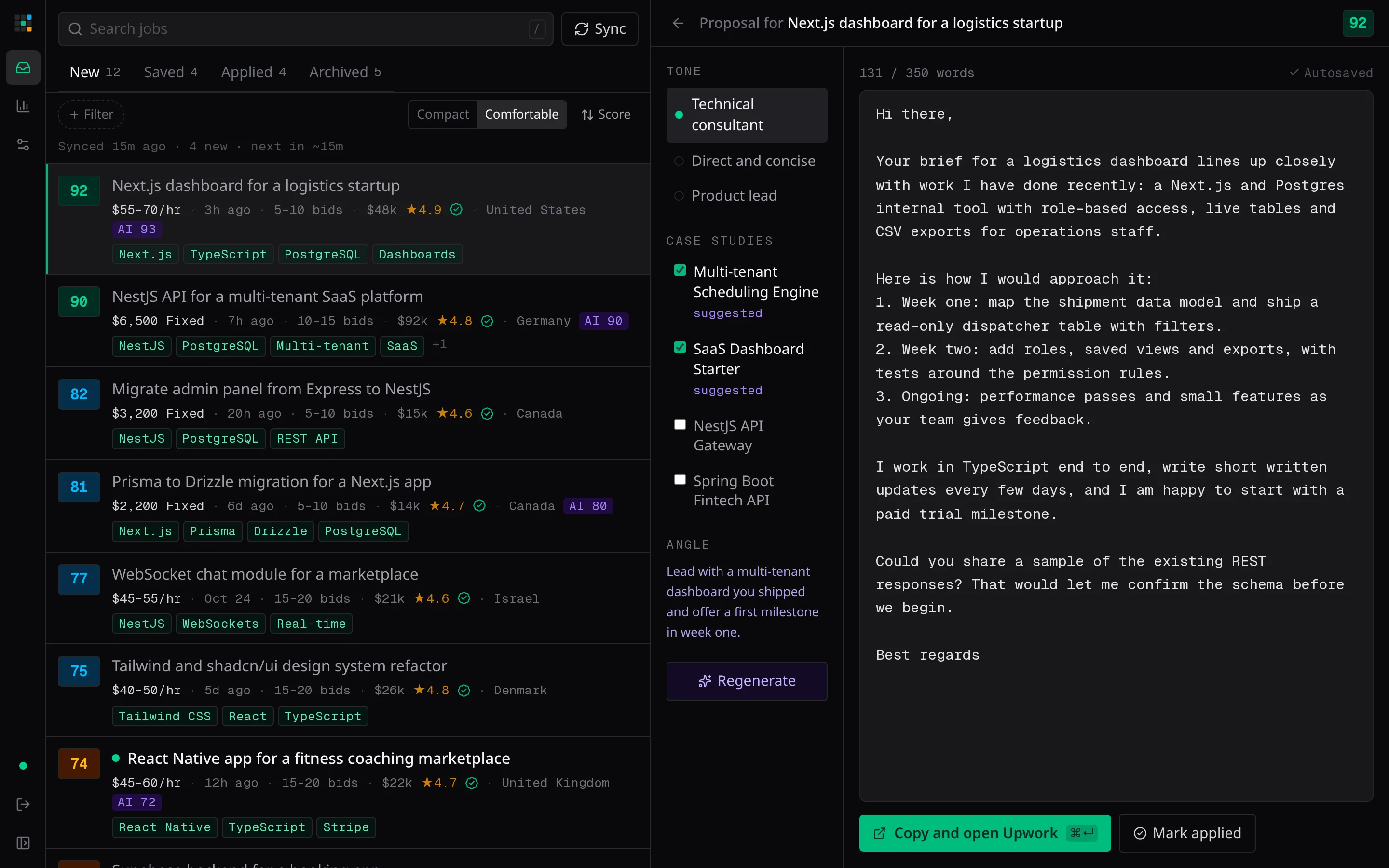
- A streamed proposal composer. Pick a tone and case studies (the ones matching the job's skills are pre-checked), watch the Gemini draft stream into an editable box, and it autosaves to the job.
- Stays connected to Upwork. The connection is renewed before it runs out, and if Upwork refuses a renewal I get one alert per outage with a link to fix it, not one per sync.
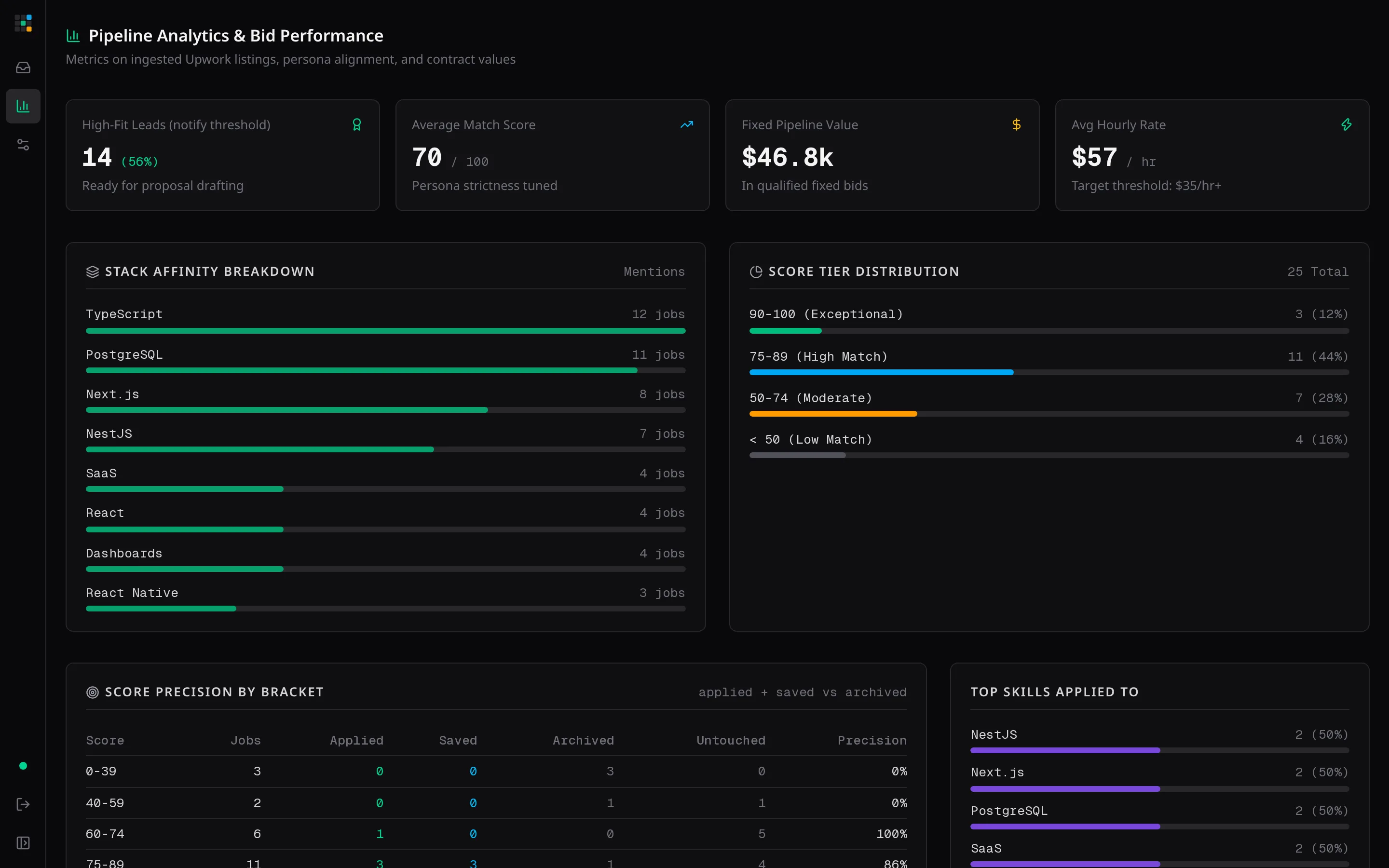
- An analytics page with a feedback loop: score precision per bracket, comparing the jobs I applied to or saved against the ones I archived, so I can see whether the scoring matches my own choices.
- A settings page with a live preview. Change a weight or threshold and it re-scores a real job with the unsaved config, and shows how many stored jobs would cross the alert line.
- Security: HMAC-signed session cookies, login throttling stored in the database, per-session revocation with a "sign out everywhere" epoch, and a session check inside every API handler, not only at the proxy.
- Postgres through Drizzle (Neon in production), TanStack Query on the client, and a Vitest suite that runs with lint, type-check and build in GitHub Actions CI.
03 — Decisions
Proposals
Chose Manual send by default over Auto-submitting to Upwork
In manual mode, which is the default, approving a draft sends me the final text and the job link and I paste it into Upwork myself. Nothing is sent to Upwork on its own. An optional submit mode exists, but it asks Upwork for a preview first and only submits after an explicit Confirm and submit tap.
Syncing
Chose Start the sync and let it finish in the background over Making the trigger wait until every job is fetched and scored
New jobs arrive on their own, because a scheduled sync checks Upwork on a regular rhythm. When a sync is started, it begins right away and carries on in the background, so whatever kicked it off never has to wait for it or give up on it. Only one sync runs at a time, and a second request is turned away while the first is still going. Every run is recorded, so the app can show when it last ran and whether it worked.
AI scoring
Chose Paced Gemini calls on the free tier over Scoring every job with AI
Only jobs whose rules score is 60 or higher go to Gemini, with at most 8 calls per run and 4.5 seconds between them, which stays under the free tier's roughly 15 requests a minute. The final score is a 50/50 blend by default, and all of these numbers are settings.
04 — Outcome
LeadMatrix is finished at v1.0 and in internal use. It runs on Vercel with Neon Postgres, with the sync on a schedule. The whole loop from sync to WhatsApp alert to draft works, with CI running lint, type-check, migrations, tests and build on every pull request.
05 — Gallery
Note — Screens use synthetic demo data. No real jobs, clients or proposals are shown.